




Pixel Tribe Invite Codes: How to Find and Use Them for Free Gems
If you're building your Viking kingdom in Pixel Tribe, free gems are basically gold. By using invite codes, you can earn up to 1,000 gems — 100 gems per friend, for up to 10 friends. That's a solid chunk of premium currency without spending a penny. This guide walks you through exactly how to find your invite code and how to use one from a friend. Share your code and find recent ones here!
How to Find Your Pixel Tribe Invite Code
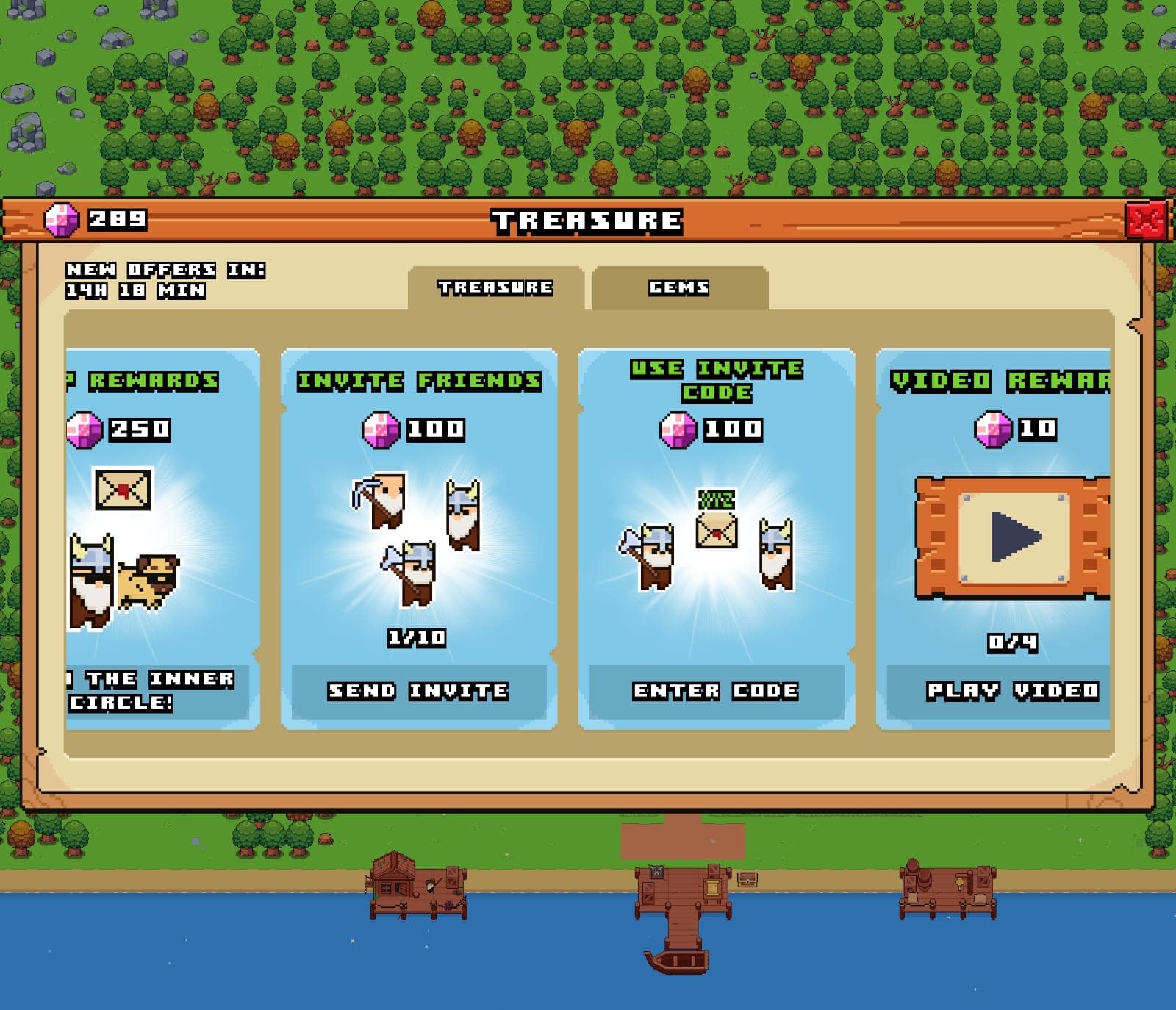
- Open the Gem Menu: From the home screen, tap the chest icon
 to open the gem menu.
 - Navigate to Invite Options: Inside the gem menu, you'll see two options: "Invite Friend" and "Use Invite Code."
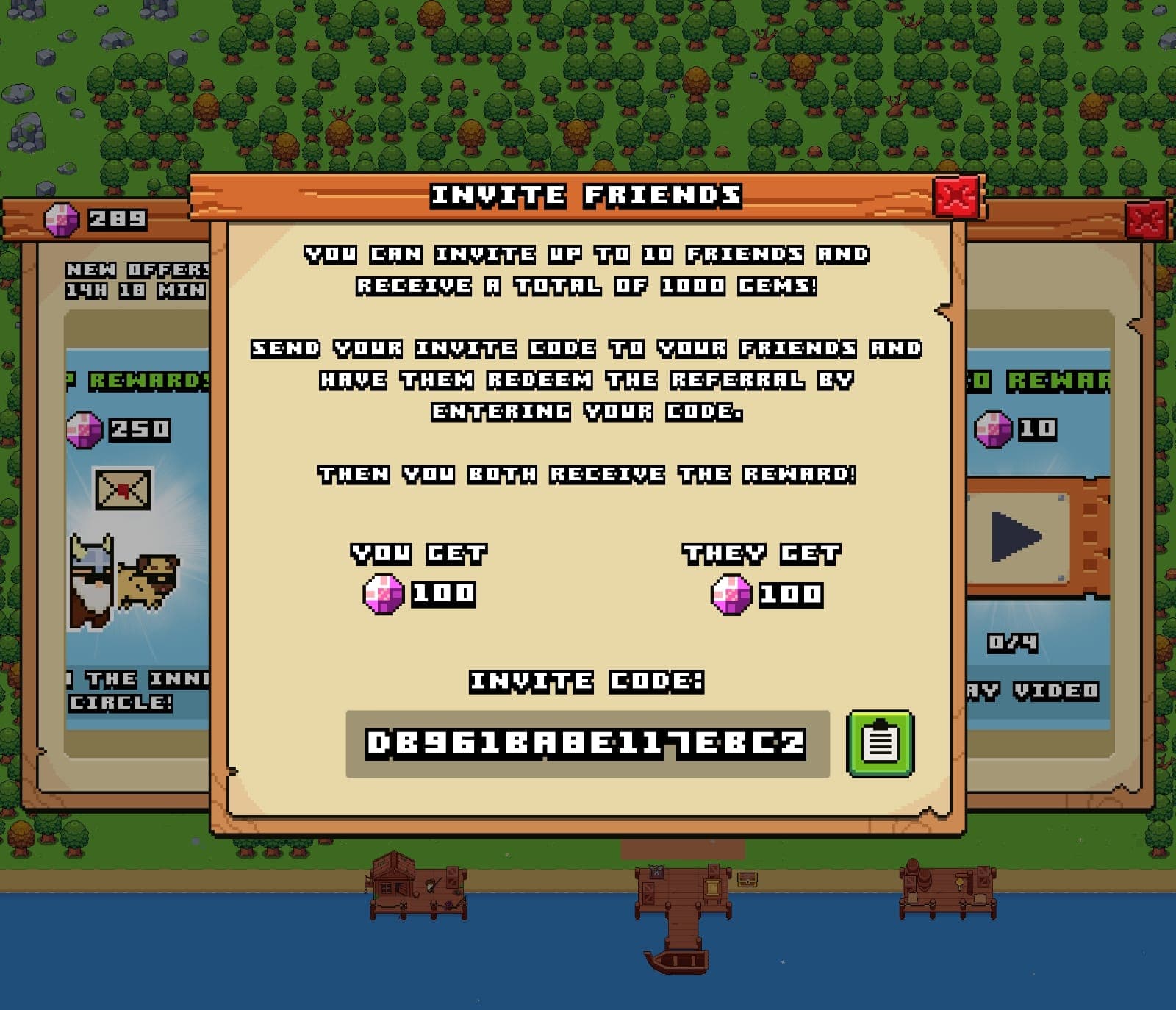
- Get Your Invite Code: Tap "Invite Friend" and a popup will appear showing your unique invite code.
- Share Your Code: Send it to up to 10 friends. Every friend who registers using your code earns both of you 100 gems instantly.
How to Register a Pixel Tribe Invite Code
- Open the Gem Menu: Tap the chest icon on the home screen to get into the gem menu.
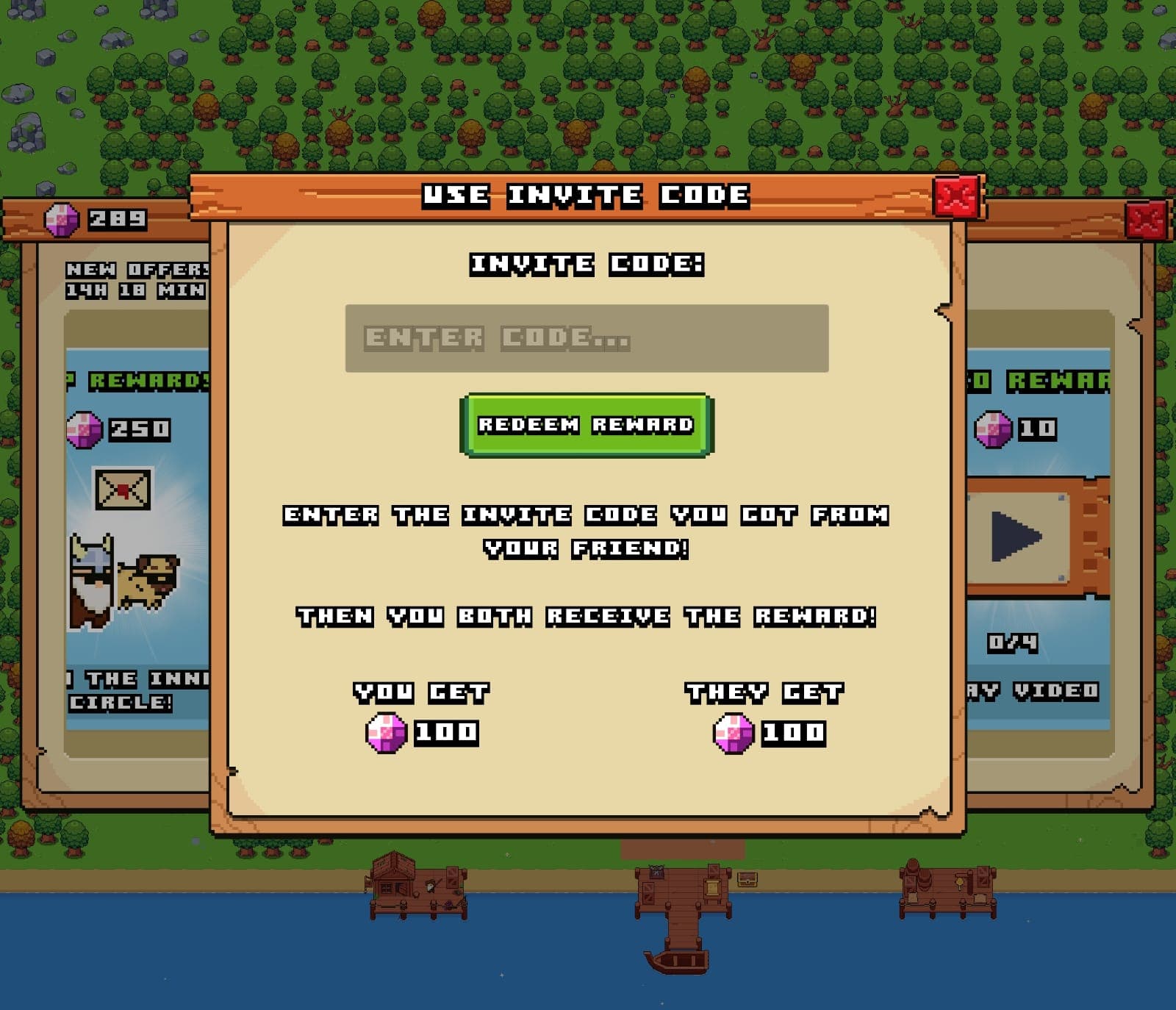
- Enter an Invite Code: Select "Use Invite Code" to open the input field.
- Submit the Code: Type in the invite code your friend gave you and confirm. Both of you will receive 100 gems after a successful registration.
It's that simple. By sharing your code and registering one from a friend, you can accumulate up to 1,000 gems — enough to make a real difference in how fast your Viking kingdom grows. Each player can invite up to 10 friends, so don't leave any invitations on the table. The sooner you start sharing, the sooner those gems start rolling in.